How to Host a Gimkit Game: 5 Steps, How Students Join, Player Limits and Free vs Pro
To host a Gimkit game, sign in to a free Gimkit Educator account, click Play Live on a kit, pick a game mode, set the game options, then share the game code or join link and click Start Game. Students join at gimkit.com/join with no account. On the free plan, a Gimkit host can run featured modes for up to 500 players (60 in 2D modes).
This guide follows Gimkit's own help centre, read on 24 November 2026: the five hosting steps, how students get in, the settings a host chooses, what free Gimkit Basic allows against paid Gimkit Pro, and the fixes Gimkit gives when a game won't load. We didn't sign up or host a game ourselves. Every step and limit below comes from Gimkit's public pages, with a screenshot of each.
Near the end, one table puts Gimkit next to Kahoot! and Blooket, using each company's own plan pages and help centres, so you can see which free plan suits a big class, homework or a school checking student privacy.
How do you host a Gimkit game?
You host a Gimkit game from a free Educator account in five steps, which Gimkit's “Host a live game” help article lists in this order:
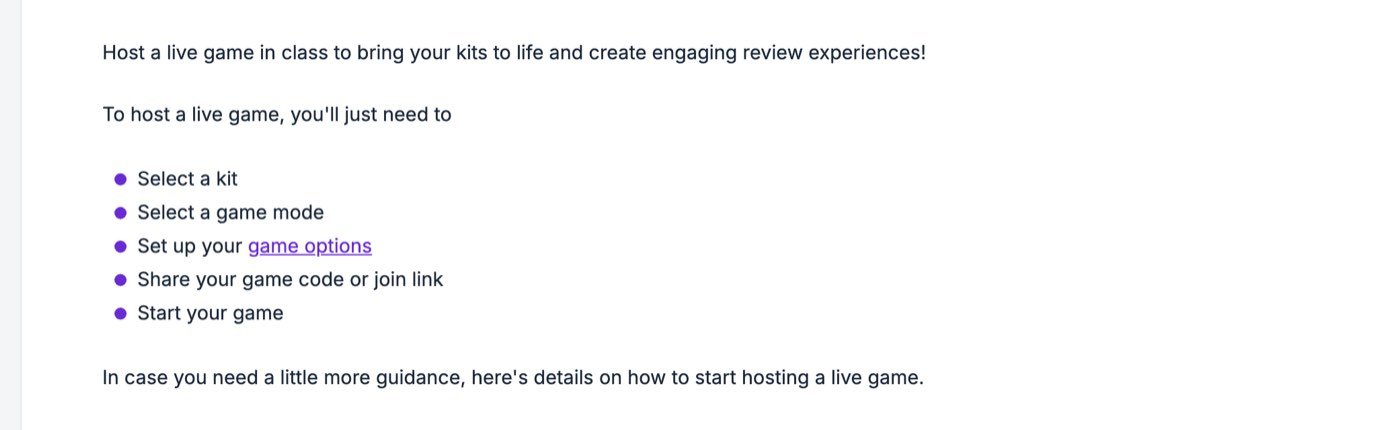
Gimkit's “Host a live game” help article (updated 19 May 2026), captured 24 November 2026.
- Select a kit. Click the green Play Live button next to any kit on your dashboard, or Play Live in the right-hand pane inside the kit.
- Select a game mode. The Mode Picker opens; click a mode so it's outlined in yellow, then click Continue in the upper right.
- Set up your game options: the game goal, whether to connect a class, the Nickname Generator, late joining and any settings the mode adds. Click Continue again.
- Share your game code or join link. A Lobby tab opens with the code; hover over it to show a QR code, or click it to copy a direct link to the game.
- Start your game. Click Start Game, in the upper right for traditional modes or at the bottom centre for 2D modes.
Gimkit's help article shows each of those screens. The Play Live button sits beside every kit on the dashboard, above Assign HW:
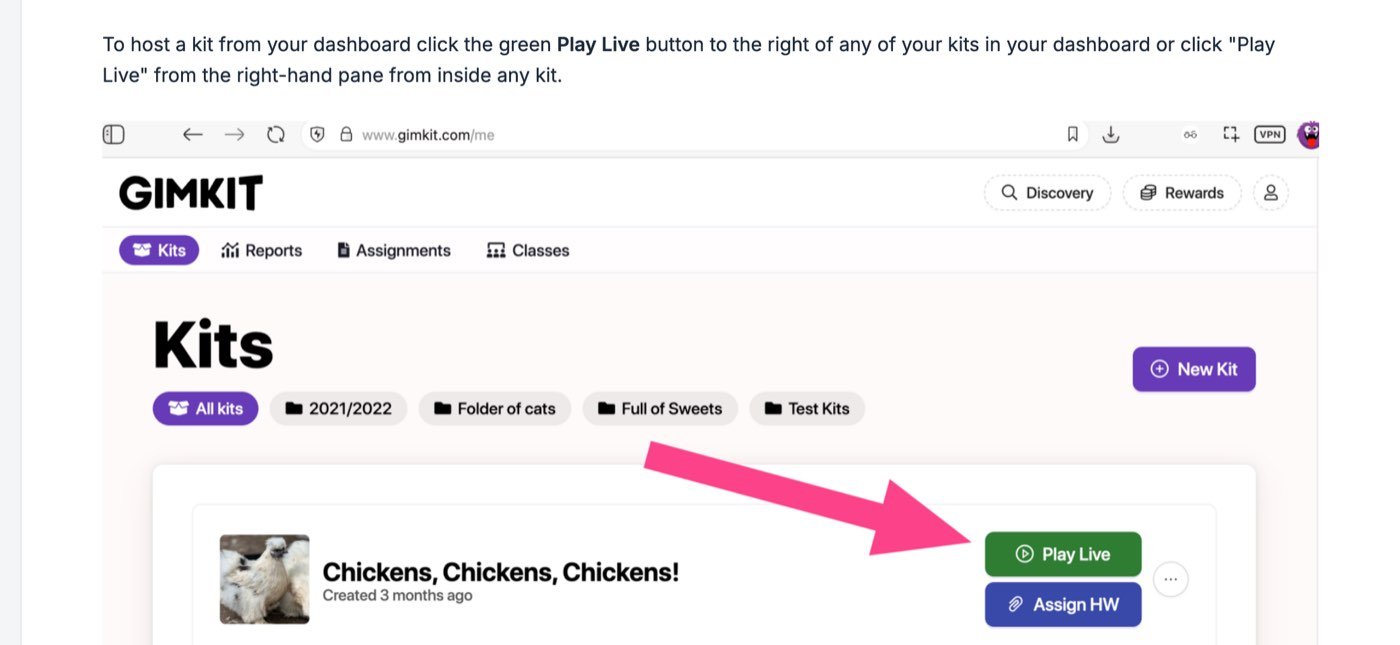
Gimkit's own dashboard screenshot inside its “Host a live game” article, captured 24 November 2026.
The options screen changes with the mode. In this Gimkit screenshot of Don't Look Down, a 2D mode, the host sets a Game Duration in minutes and turns Checkpoints on or off before clicking Continue:
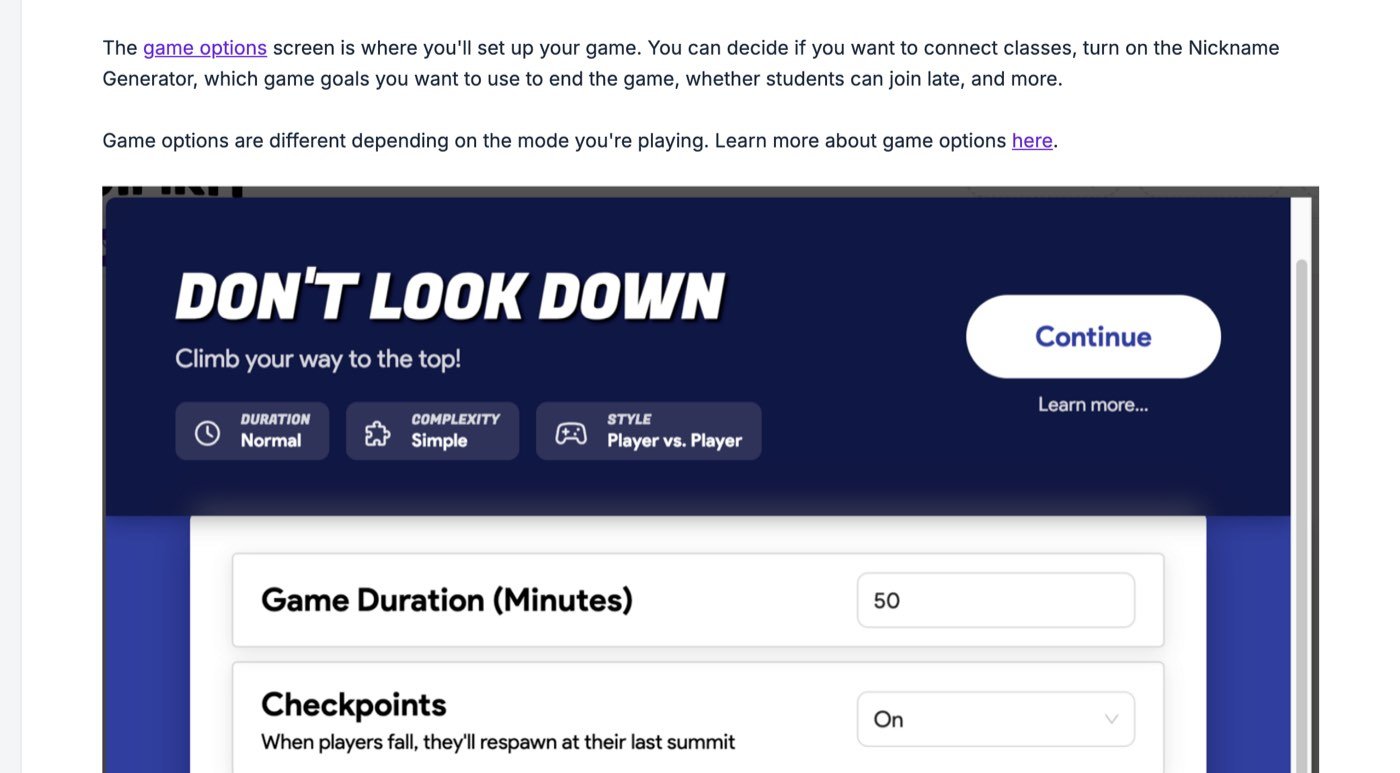
The game options screen in Gimkit's help article, captured 24 November 2026. The options differ by mode.
Once the game starts, a panel in the upper right holds the host controls: music and sound volume, the leaderboard, the player list and End Game. Click the time left to add one minute, up to 59 minutes in all. Without End Game, the game stops when it reaches the goal you set, which in 2D modes is usually a time limit.
How do students join a Gimkit game?
Students join at gimkit.com/join by typing the game code on your screen, or by scanning the QR code or opening the join link you share. They don't need a Gimkit account. The help article puts it in one line: “Students can join your game using the game's QR code, join link, or game code.”
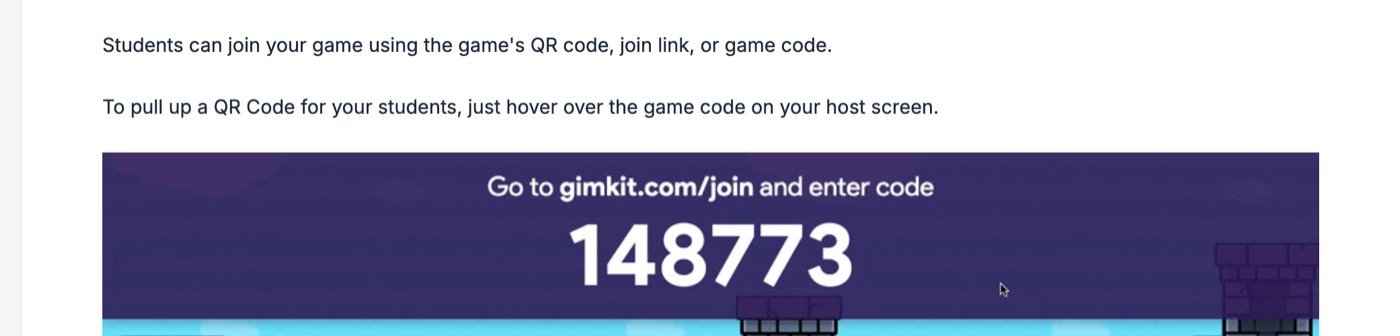
The join instructions in Gimkit's “Host a live game” article, captured 24 November 2026. The code in Gimkit's example screen is from an old game.
The join page is one box and one button. On 24 November 2026, gimkit.com/join showed a Game Code field and a Join button, and asked for no sign-in:
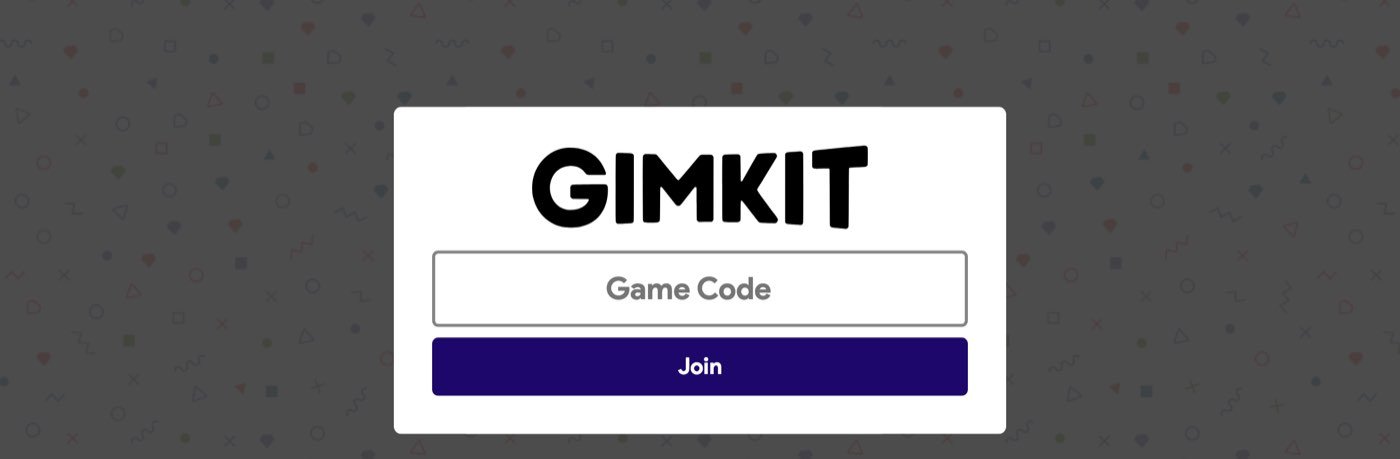
gimkit.com/join, captured 24 November 2026 in a browser that wasn't signed in.
Gimkit's Account FAQ answers “Do students need accounts?” with “No!”, and adds that students need accounts only for Classes, or to earn XP and buy cosmetics:

Gimkit's Account FAQ (updated 19 May 2026), captured 24 November 2026.
With Classes connected, students sign in and appear under their account names, which you can edit. Without Classes, anyone with the code can get in, so read the names in the lobby before you click Start Game.
Which game modes and settings does a Gimkit host choose?
A Gimkit host picks one game mode per game in the Mode Picker, then sets that mode's options. Each mode carries labels such as “Calming”, “Strategic” and “Collaborative”, and Learn More opens a longer description.
Modes come in two kinds. Traditional modes run on a leaderboard you can cast to the room. 2D modes drop students into a map as small characters called Gims; Gimkit's help centre lists Don't Look Down, Snowbrawl, Snowy Survival, One Way Out and Blastball among them, and caps every 2D game at 60 players.
Which modes are free changes. Gimkit rotates its free “featured” modes every few weeks, and its Pro FAQ says there are “generally three free game modes at any given time”. These options come with every mode:
| Option | What it does |
|---|---|
| Game goal | Ends the game on time, cash, investigations, difficulty level or questions answered, depending on the mode |
| Connect a class | Students join under their Gimkit class accounts |
| Join in late | On by default; turn it off to keep latecomers and game-crashers out |
| Nickname Generator | Gives each student a random safe name they can't edit; it disappears when a class is connected |
| 2D game balance | In 2D modes, sets the reward per correct answer, such as snowballs in Snowbrawl or bait in Fishtopia |
Gimkit's own tips: turn off Join in late if game-crashers are a problem, and choose a team option if some students aren't keeping up.
Is Gimkit free to host? Gimkit Basic vs Gimkit Pro
Yes. Hosting is free on Gimkit Basic, which needs only a free Educator account and, in Gimkit's words, lets you “host games, create classes, and collect game reports without any limitations”. Basic limits the choice of modes and leaves out homework. New Educator accounts start with a 14-day free trial of Gimkit Pro, then move to Basic.
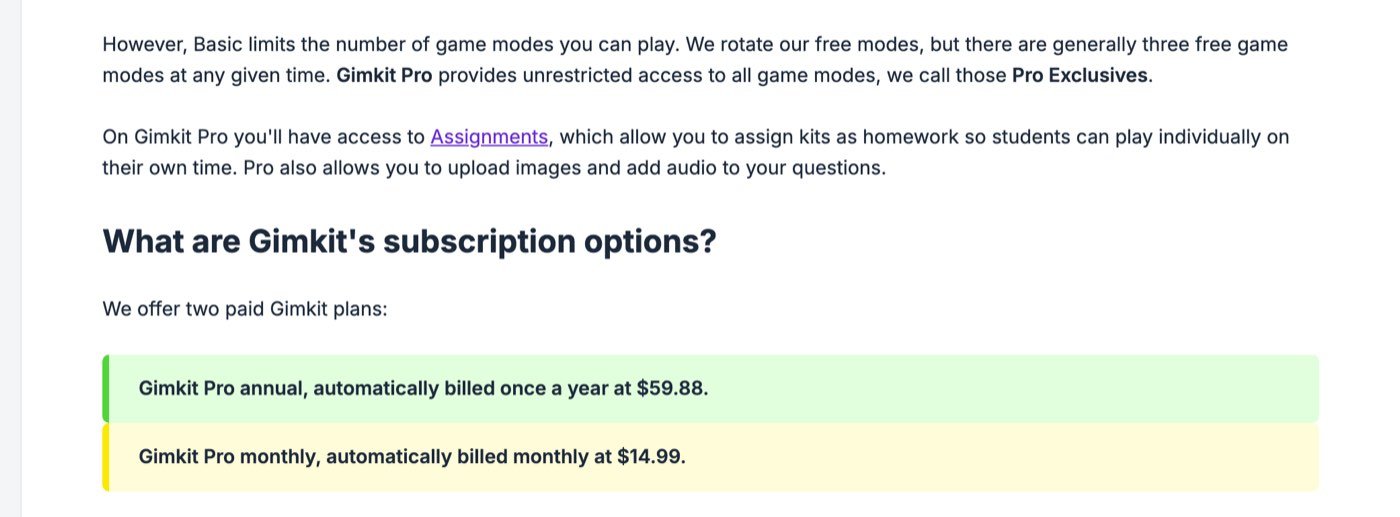
Gimkit's Pro FAQ (updated 20 May 2026), captured 24 November 2026.
Here is what changes for a host when you pay:
| Gimkit Basic | Gimkit Pro | |
|---|---|---|
| Price | Free | $59.88 a year, or $14.99 a month |
| Game modes | Featured modes, rotated; generally three at a time | Every mode, including Pro Exclusives |
| Players in a Pro Exclusive mode | 5 | Same as any mode |
| Live game limit | 500 players (60 in 2D modes) | 500 players (60 in 2D modes) |
| Assignments (homework) | No | Yes |
| Image uploads and audio questions | No | Yes |
| Classes and game reports | Yes | Yes |
Assignments are the clearest dividing line. Gimkit's Assignments article opens with a note:

Gimkit's Assignments explained article, captured 24 November 2026.
For a department or a whole school, Gimkit sells Gimkit Groups: $650 a year for up to 20 teachers, or $1,000 a year for an entire school. The Account FAQ says Gimkit charges for Pro because it allows no ads and takes no money from outside investors.
How many players can join a Gimkit game?
Up to 500 players can join one live Gimkit game, Gimkit's hard limit. 2D modes have a separate cap of 60 players, and on the free plan, Pro Exclusive modes take only 5.
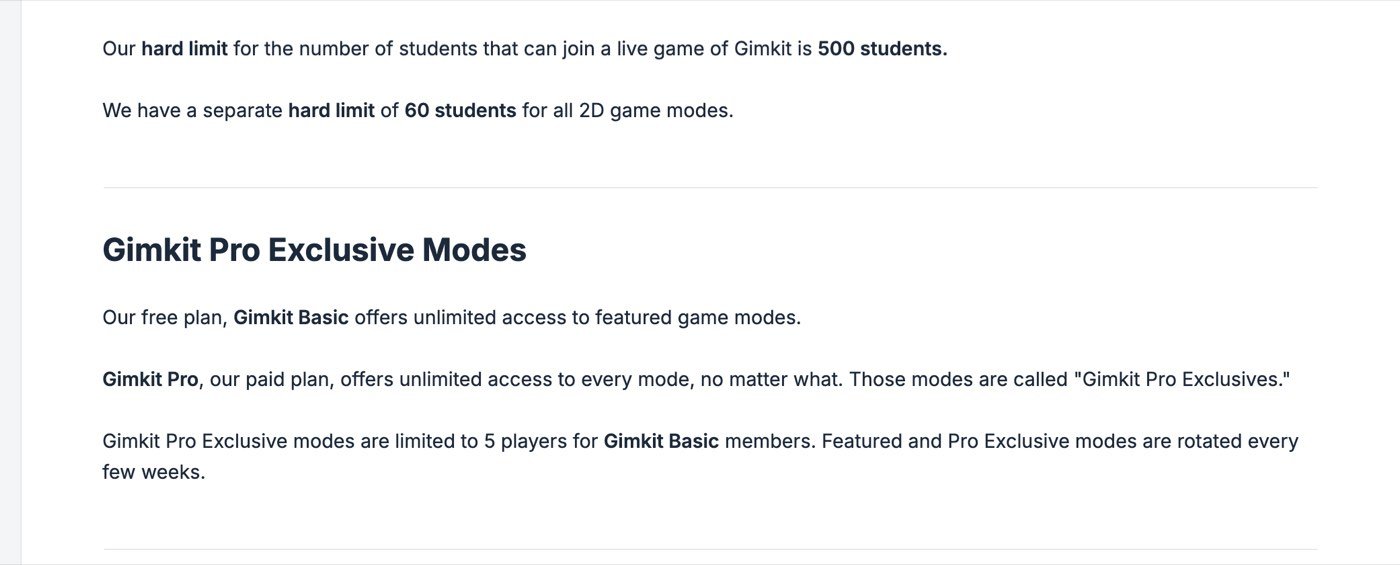
Gimkit's Player maximums article, captured 24 November 2026.
Gimkit explains the cap by connection quality: the more players join, the faster and steadier the network has to be, and Gimkit can't control school devices or Wi-Fi. One more limit catches students who try hosting: a host signed in with a student account can have at most 5 players.
Common Gimkit hosting problems and fixes
Most hosting problems come down to the mode, a setting or the school network. Here is what Gimkit's help centre says for each:
| Problem | Likely cause | Fix from Gimkit's help centre |
|---|---|---|
| A student can't get in after the game starts | Join in late is off | Turn Join in late on in the game options before you start; it's on by default |
| Only 5 players can join | A Pro Exclusive mode on Gimkit Basic, or a host signed in with a student account | Pick a featured mode, upgrade to Pro, or host from an Educator account |
| Joining stops at 60 players | Every 2D mode caps at 60 | Use a traditional mode, which allows up to 500 |
| A 2D mode won't load | WebGL is turned off or unavailable | Update the browser and turn on WebGL |
| Nobody can connect | Gimkit's servers, or the school firewall | Check Gimkit's status page, then ask IT to unblock Gimkit's domains |
| School Google sign-in is blocked | Google Workspace for Education rules for under-18s | A Workspace admin marks Gimkit as trusted |
| A rude name appears in the lobby | No class is connected | Hover over the name and click it to remove the player; next time use the Nickname Generator or Classes |
| Password-reset emails never arrive | The school filters Gimkit's email | Ask IT to approve gimkit.com and stripe.com as senders |
Gimkit's list of domains to unblock is short enough to forward to IT as it stands:
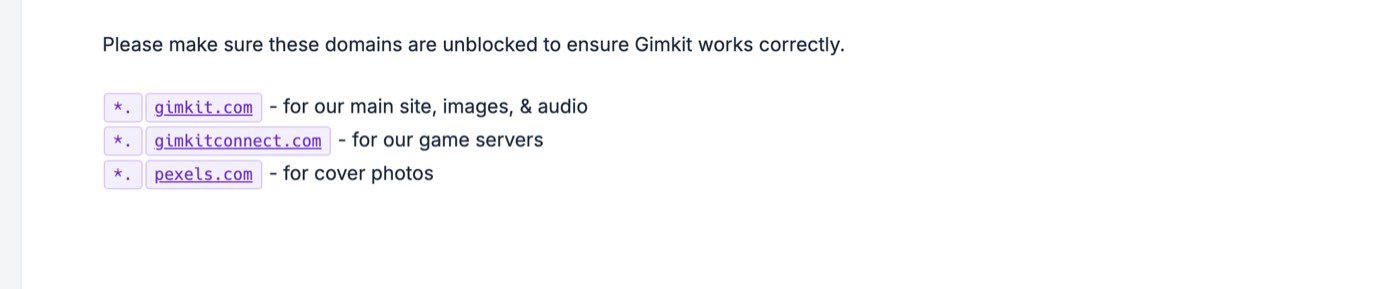
Gimkit's domains to unblock (updated 20 May 2026), captured 24 November 2026.
Mid-game, you can remove a player by clicking their name on the leaderboard and choosing “Remove from Game”, except in Team Mode.
Gimkit vs Kahoot vs Blooket: which is best for hosting a live game?
On the free plans, Gimkit hosts the biggest live game, while Kahoot! and Blooket include homework, and all three let students join without an account. The table sets out what a teacher gets free and what the first paid plan adds, from each company's own pages on 24 November 2026.
| Gimkit | Kahoot! | Blooket | |
|---|---|---|---|
| Free plan | Gimkit Basic | Kahoot! Go | Blooket Starter |
| Host needs | A free Educator account | A free Kahoot! account | A free Blooket account |
| Players per free live game | 500 (60 in 2D modes, 5 in Pro Exclusive modes) | 40 (K-12 teachers) | 60 |
| First paid plan | Gimkit Pro: $59.88 a year or $14.99 a month | Kahoot!+ Bronze: $36 a year in a Black Friday offer ending 27 November, or $9 a month; 50 players | Blooket Plus: up to 300 players; price not on its help centre |
| How players join | Code at gimkit.com/join, QR code or link | Game PIN at kahoot.it, link or QR code | 7-digit code at play.blooket.com, QR code or link |
| Player account needed | No | Usually no | No |
| Modes on the free plan | Generally three featured modes, rotated | Classic and accuracy live games, limited team mode | More than 15 modes, minus the Plus-only ones |
| Homework on the free plan | No: Assignments are Pro only | Yes: up to 40 players, deadline up to 28 days ahead | Yes: due date up to 14 days ahead |
| Name controls | Nickname Generator, remove player, Classes | Nickname generator, nickname filter, remove player, 2-step join | Random names, late-join switch, hide student sign-up |
| Student privacy page | FERPA, COPPA and Ed-Law 2D compliant; no ads; data never sold | Supports FERPA, COPPA and GDPR compliance; no third-party ads; data not sold | Not checked: blooket.com showed our browser a security check |
Sources: Gimkit's help centre and privacy page; Kahoot!'s plans page, participant limits, joining guide, assignments guide, nickname guide and trust centre; Blooket's “Is Blooket Free?”, Plus features, joining, hosting and homework articles.
Kahoot!'s free limit is the smallest of the three. Its plans page puts Kahoot! Go at 40 participants:
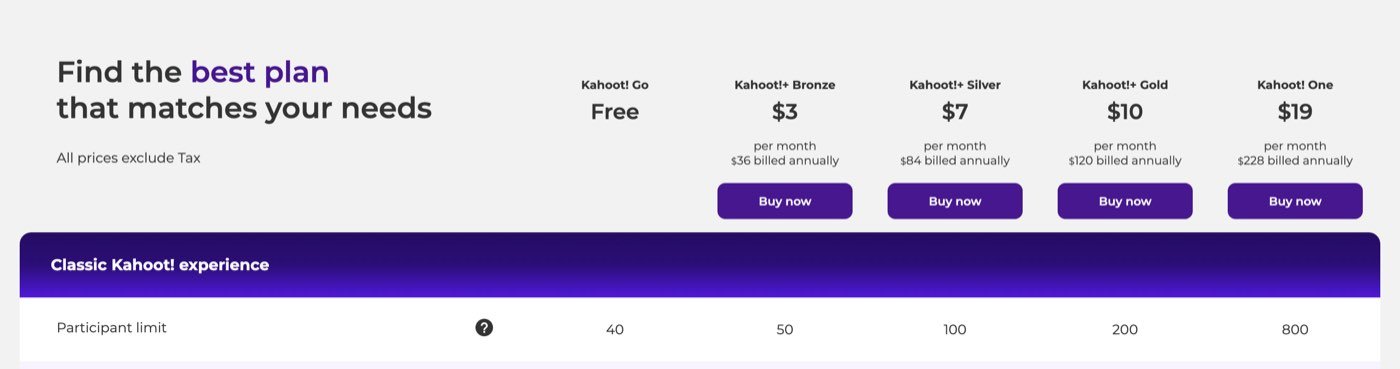
Kahoot!'s plans page for schools, captured 24 November 2026 during its Black Friday offer. The cookie-settings shade over the page was hidden with CSS.
Which to host on depends on the class in front of you.
Which free plan suits your class?
Each verdict below follows from the table above, not from playing the games.
- A big class on a free plan: Gimkit. Basic hosts up to 500 players, against 40 on Kahoot! Go and 60 on Blooket Starter. Above 60 students, choose a traditional mode, because 2D modes stop there.
- Homework without paying: Kahoot! or Blooket. Gimkit keeps Assignments for Pro; Kahoot! Go assigns a kahoot to up to 40 players with a deadline up to 28 days out, and Blooket Starter sets homework due up to 14 days ahead.
- The most modes for free: Blooket, with more than 15 modes on its free plan bar the Plus-only ones, against Gimkit's three rotating featured modes.
- Clean names with younger students: any of the three can hand out random names. Gimkit's Classes go further, putting students in under account names you can edit, with the teacher's invitation standing in for parental consent under 13.
- A school checking privacy first: Gimkit and Kahoot! both publish student privacy pages naming FERPA and COPPA. Read Blooket's at blooket.com/privacy before you roster students, since our checker couldn't load it.
What does Gimkit do with student data?
Gimkit says students can play without accounts, that it complies with FERPA, COPPA and Ed-Law 2D, and that it never sells data or shows ads. Its privacy page leads with those points:
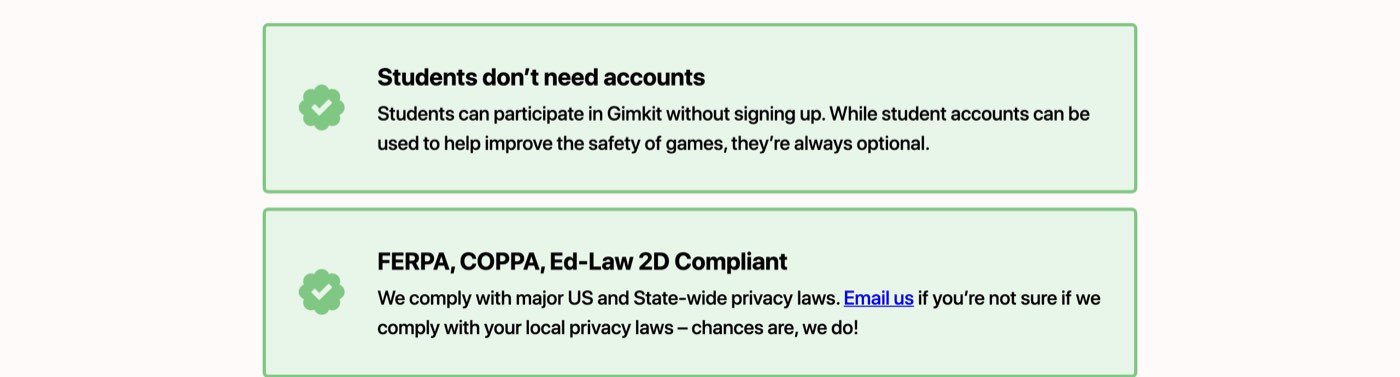
Gimkit's privacy page, captured 24 November 2026.
When students do make accounts, Gimkit lets them sign up on their own only from age 13 in the US, or 16 elsewhere. Younger students join through Classes, where the teacher's invitation link gives the parental consent. Gimkit names its outside services, such as Digital Ocean for game servers and Stripe for payments, on its third-party providers page. Our guide to checking whether a website is safe covers what else to look at before you hand a site student names.
Classroom game puns for your next round
MrPuns couldn't leave a game show without a few lines for the lobby screen. We wrote these for the wait while everyone types the code:
- Why did the teacher bring a ladder to the review game? She heard the leaderboard was hard to climb.
- I tried to host a game about fractions, but only half the class showed up.
- The student who kept joining late swore he wasn't tardy, just buffering.
- Our quiz lost its connection halfway through, so we called it a pop-out quiz.
- The class said the review game was electric. It was a current events kit.
For a science lesson, our chemistry puns and space puns make good question-set titles, and how to write a pun shows how to make your own.
What we checked, and what we couldn't
Everything here comes from public pages read on 24 November 2026: Gimkit's help centre, privacy page and join page; Kahoot!'s plans page, support centre and trust centre; and Blooket's help centre. We created no accounts and hosted no games, so the host screens shown are Gimkit's own screenshots inside its help articles.
Three things we couldn't confirm. Blooket's own pricing and privacy pages showed our automated browser a security check, so its Plus price and privacy terms are missing above. Gimkit's free featured modes rotate every few weeks, so we can't say which three are free today without signing in. And Gimkit's Pro FAQ gives the annual price as $59.88 in one line and “$59.98 total” in another; we use $59.88, the amount it says is billed.
Keep reading
Frequently Asked Questions
How do you host a Gimkit?
Sign in to a free Gimkit Educator account, click Play Live on a kit, choose a game mode and click Continue, then set the game options and click Continue again. Share the game code, QR code or join link from the lobby, and click Start Game when everyone is in.
How do you host a game in Gimkit without an account?
You can't: Gimkit says you need an account to create kits and host games. The Educator account is free, and Gimkit Basic lets you host as often as you like. Only players can take part without an account.
What is gimkit/host?
Gimkit/host is how many people type gimkit.com/host when they want to start a game. When we opened it signed out on 24 November 2026, it went to Gimkit's login page, so to host Gimkit games, sign in first and click Play Live on a kit. Players never need that page; they join at gimkit.com/join.
Can a student host a Gimkit game?
Yes, but only for a small group: Gimkit limits a host signed in with a student account to 5 players. A teacher hosting a full class needs an Educator account, which is free.
Is Gimkit free for teachers?
Yes. Gimkit Basic is free for as long as you like and includes hosting, classes and reports, with generally three featured game modes at a time. Gimkit Pro, at $59.88 a year or $14.99 a month, adds every mode, assignments, image uploads and audio questions.
How many people can play Gimkit at once?
Up to 500 players can join one live Gimkit game. 2D modes are capped at 60 players, and Pro Exclusive modes allow only 5 players on the free Gimkit Basic plan.
Can students join a Gimkit game late?
Yes, by default. Live Gimkit games let students join late unless the host turns off Join in late in the game options, which is Gimkit's suggested fix for game-crashers.
How do you end a Gimkit game early?
Click End Game in the host controls panel in the upper right of the host screen. Otherwise the game ends when it reaches the goal you set, such as a time limit.